Graphical interfaces
Two desktop applications sit on the same library as the command-line tools, so they resolve
roles, fetch tokens, verify checksums and talk to MetaCat exactly as fdp-get and
fdp-meta do.
| fdp-qt | FDP Browser | |
|---|---|---|
| Toolkit | Qt 6 Widgets (C++) | SwiftUI over the libfdp C ABI |
| Platforms | Linux (X11/Wayland), macOS, Windows 11 | macOS 14+ (a package needs the build host's macOS or newer) |
| Start | ./start-fdp-qt.sh | ./start-fdp-browser.sh, or the installed app |
| Stop | ./stop-fdp-qt.sh | ./stop-fdp-browser.sh or ⌘Q |
| Distribution | built from source | signed and notarized .pkg, .dmg, .zip, with the CLIs and htgettoken inside |
fdp-qt
./bootstrap.sh --with-qt --aqt-qt 6.11.3              # once: a private Qt 6 in ~/Qt, then the build
./start-fdp-qt.sh --remote /amsc/public/treasure/aoj/data --local ~/data
./stop-fdp-qt.sh --clean ~/data                        # also removes leftover *.fdp-part files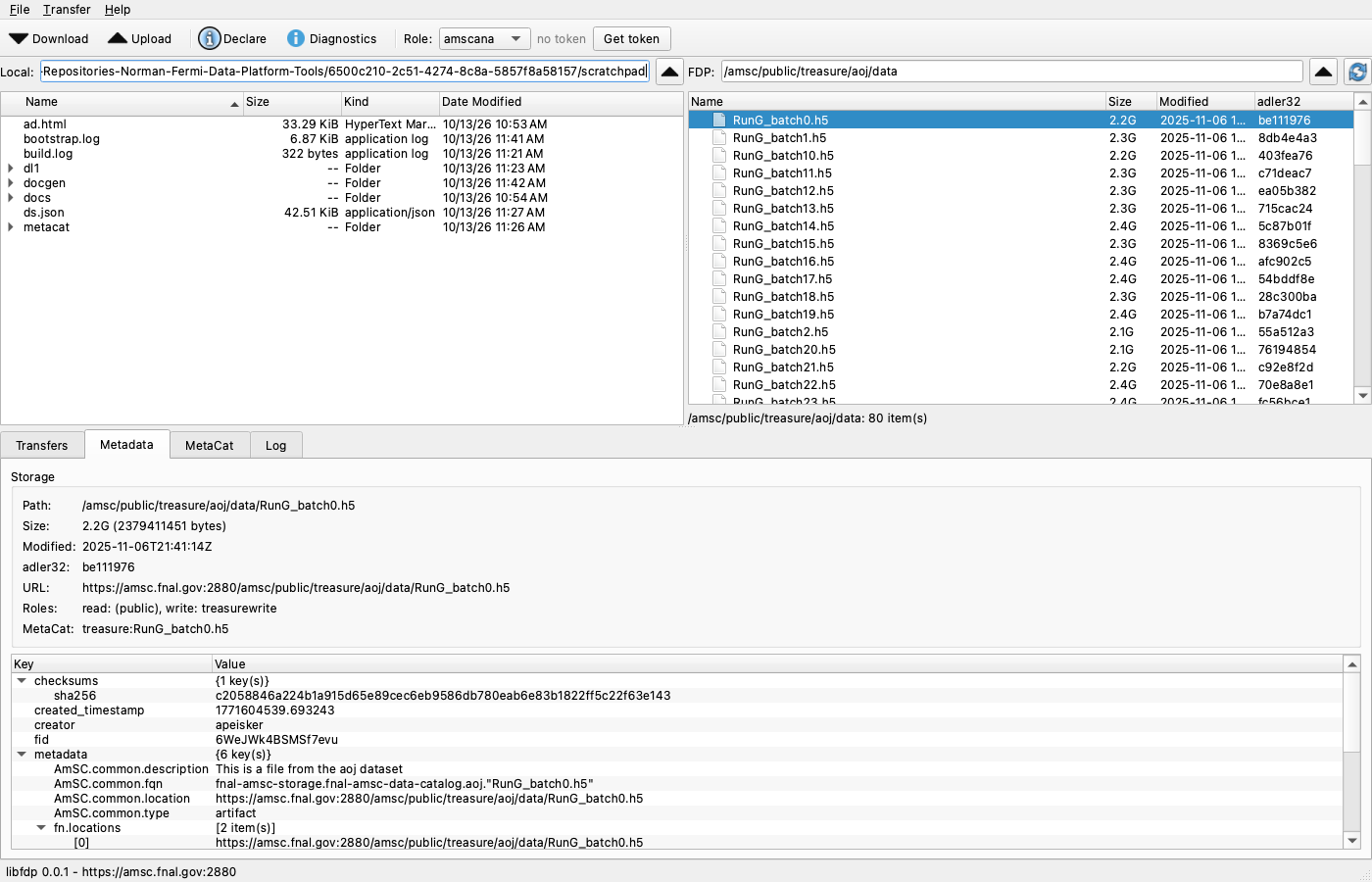
- Remote pane. The path field accepts
/amsc/..., paths relative to/amsc, and URLs; a URL on another server keeps that server for every later operation. Hovering a path shows the token reads and writes there would use. - Upload. Drop local files on the FDP pane, or select them and press Upload; you choose between skipping and replacing existing remote files (dCache never overwrites).
- Download. Drag FDP entries to the local pane, double-click a file, or press Download. Existing local files are skipped; every file is checksum-verified before it is renamed into place.
- Transfers tab. Progress and rate per item; right-click to cancel, retry or clear.
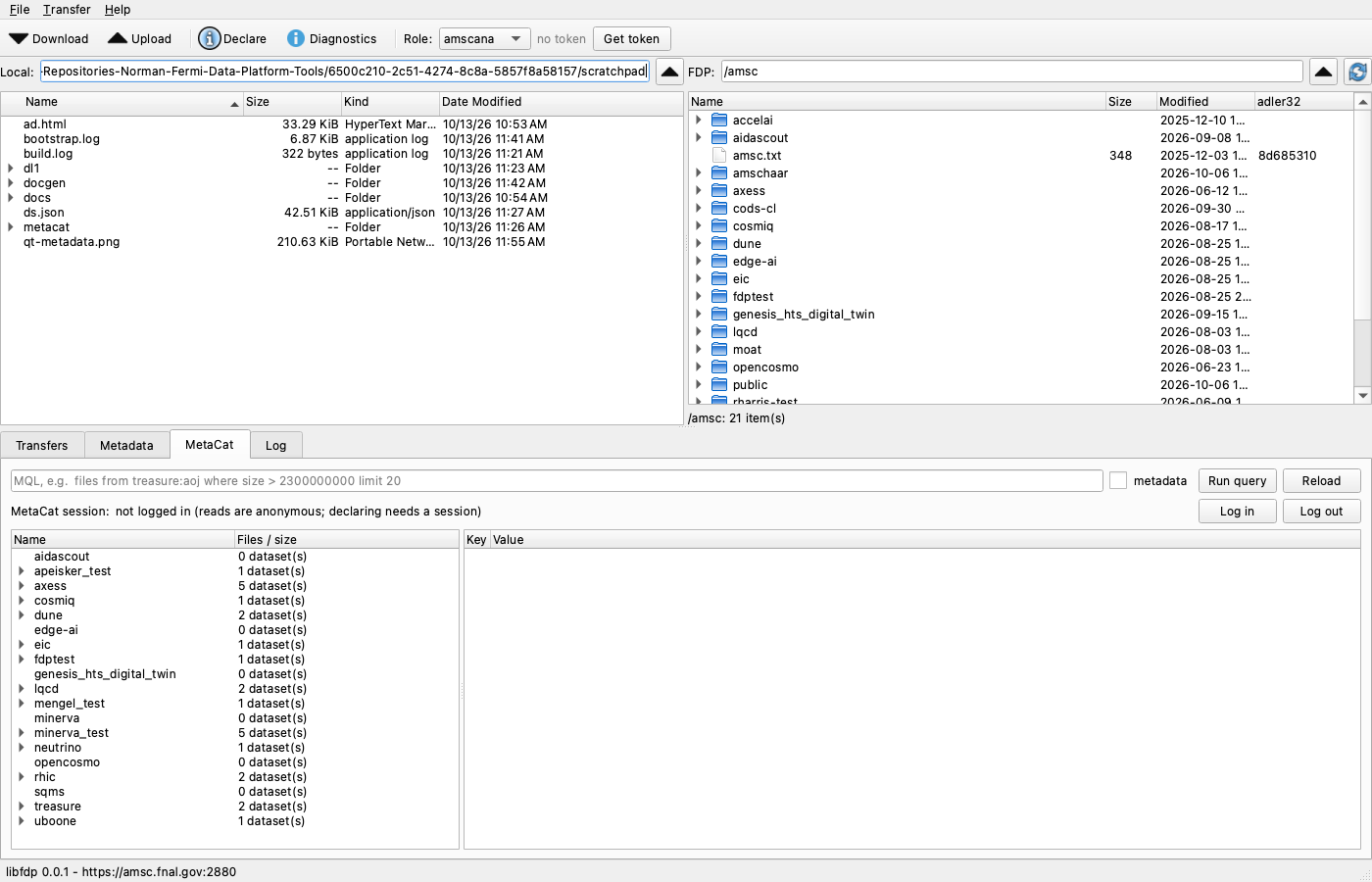
- Metadata tab. Size, modification time, adler32, URLs and the MetaCat record of the selected file
(matched by
fn.path). - MetaCat tab. Namespaces, datasets and files, MQL queries, and Log in for declaring.
- Declare… Generate, validate and declare AmSC records for the selection; only the selected files are checked and hashed.
- Tokens toolbar. Lifetime of each role's token, Get token and Renew. When htgettoken needs a browser login the URL and code appear in a dialog.
- File → Settings. Endpoints, roles and transfer options, saved as YAML to the configuration file in
use (only the values you changed). Help → Diagnostics runs the
fdp-diagchecks.
FDP Browser (macOS)
./start-fdp-browser.sh --path /amsc/public/treasure/aoj/data   # builds libfdp and the app, then opens it
open "/Applications/FDP Browser.app"                             # after installing the package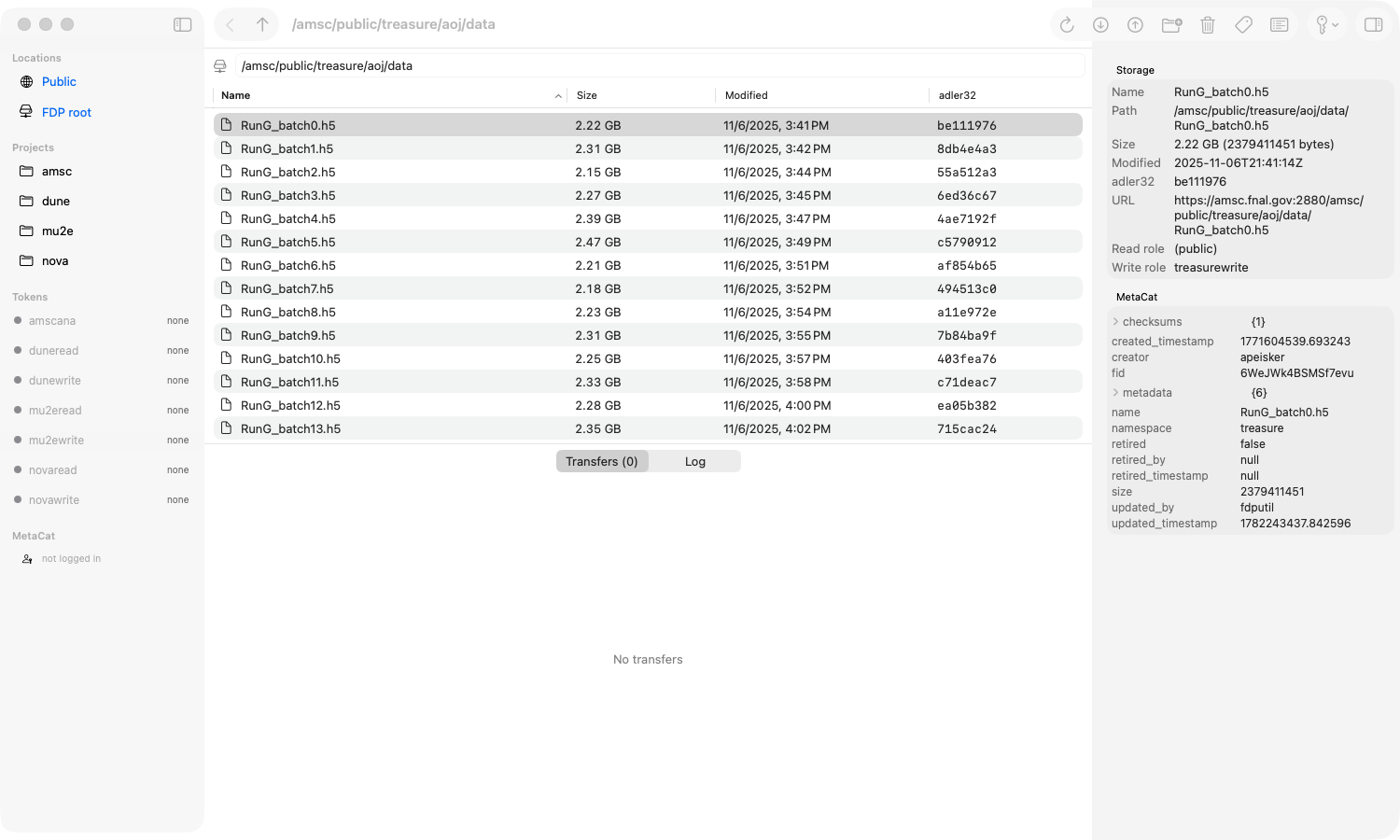
- Sidebar. Locations, projects from the roles map, the token state of each role (right-click → get or renew token) and the MetaCat session.
- Table. Sortable listing; double-click a folder to enter it; drop Finder files to upload.
- Toolbar. Download (choose a folder), Upload (optionally replace), New Folder, Delete (with confirmation), Declare, MetaCat window, Tokens menu, Inspector.
- Inspector. Storage details and the MetaCat record of the selection.
- Bottom panel. Transfers (with cancel) and the log, including htgettoken's output.
- Settings (⌘,). Saved to
~/.config/fdp/fdp.yaml.
The installed app carries its own copies of the command-line tools and of htgettoken
(FDP Browser.app/Contents/Helpers); the installer's optional command-line component links them into
/usr/local/bin.
Common behaviour
- Both run network work off the user-interface thread (Qt
QRunnablejobs, Swift tasks) and only update the window from it. - Both start
htgettokenin headless mode and show the login URL, so a login works without a terminal. - Both read the same configuration as the CLIs (
~/.config/fdp/fdp.yaml,FDP_*variables); thefdp-cdworking directory applies to the command line only.