Fermi Data Platform Tools
Command-line tools, a C++ library with C and Python interfaces, and two desktop GUIs for
listing, downloading, uploading and cataloguing files on the
Fermi Data Platform (FDP): the dCache instance
amsc.fnal.gov, its MetaCat catalog and the AmSC data movement service.
Command-line tools
Thirteen fdp-* tools: ls, get, put, rm,
mkdir, stat, cd/pwd, third-party copy, MetaCat,
Globus, tokens and diagnostics, with TAB completion of remote paths.
Tokens
Bearer tokens from htgettoken and the Fermilab vault, one per vault role, picked from the
path you access and fetched only when needed.
Graphical interfaces
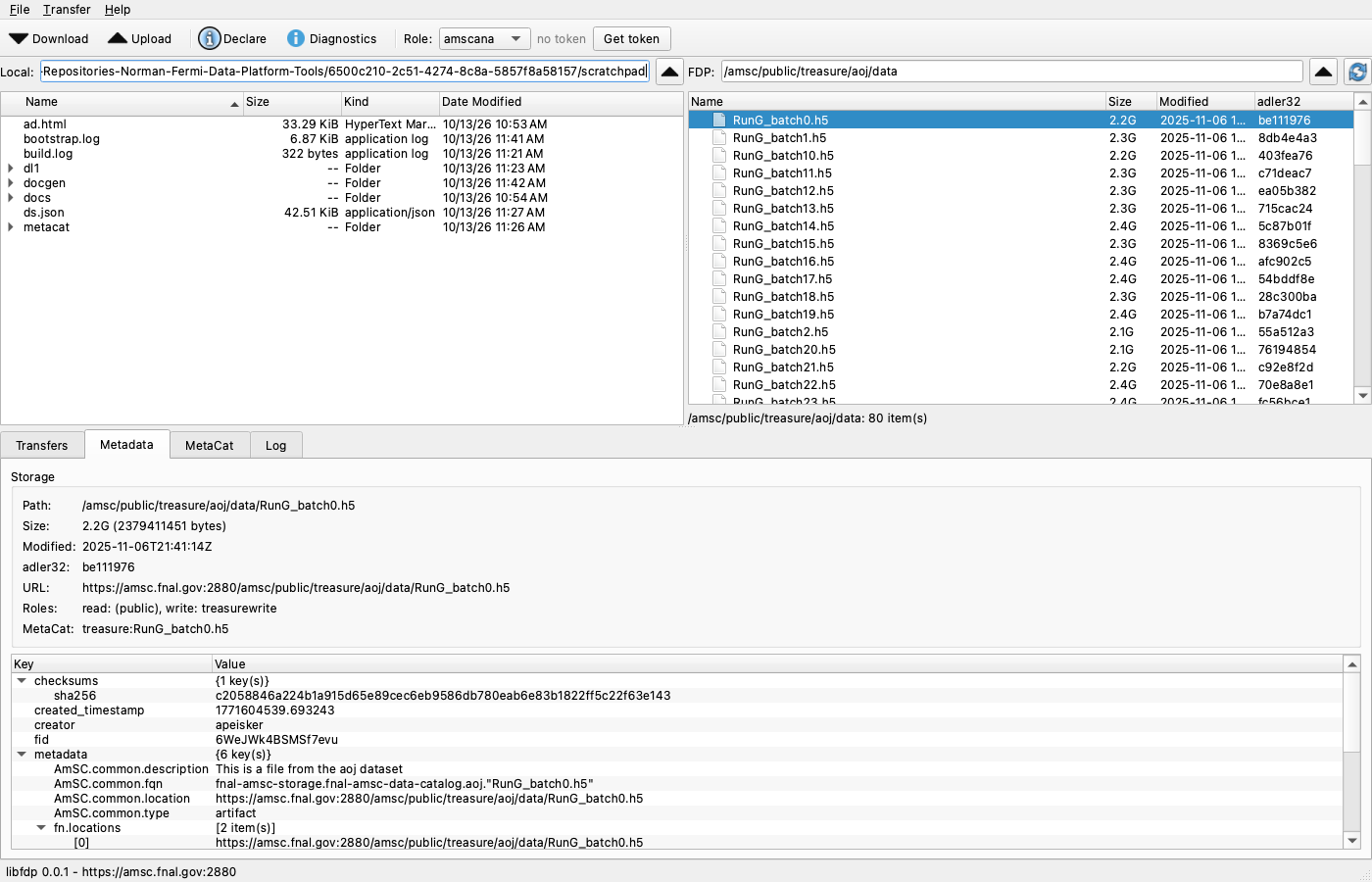
fdp-qt (Qt 6, Linux/macOS/Windows) and FDP Browser (native macOS): browse, drag and drop, transfers, MetaCat and token state.
The GUIs →Build and install
One CMake build for macOS, Linux and Windows 11; per-user installs, a signed and notarized macOS installer, and the Python wheel.
Install →What it does
- Storage over WebDAV (
https://amsc.fnal.gov:2880) and XRootD (root://amsc.fnal.gov): listing, parallel recursive transfers, directory and file removal. Downloads are verified against dCache's adler32 before they replace anything; uploads send their checksum so dCache rejects a corrupted transfer. - Paths: absolute namespace paths (
/amsc/dune/scratch/x), paths relative to a remote working directory kept byfdp-cd, or URLs. - Catalog: generate, validate and declare AmSC metadata in MetaCat, and look up the record of any stored file.
- Server-to-server: WebDAV third-party copy from another dCache, and Globus transfers through the AmSC data movement API.
- Tokens: obtained with
htgettokenon demand, cached per role, discovered when another tool already fetched them, and sent only to the configured FDP endpoints.
Quick start
git clone git@github.com:normanajn/Fermi-Data-Platform-Tools.git
cd Fermi-Data-Platform-Tools
./bootstrap.sh --install-deps                  # system packages, venv/, build/, tests
source venv/bin/activate                       # htgettoken on PATH
build/fdp-diag                                 # endpoints, htgettoken, cached tokens
build/fdp-ls -l /amsc/public/treasure/aoj/data # public: no token needed
build/fdp-cd /amsc/dune/scratch/$USER          # needs a duneread token (browser login the first time)
build/fdp-put -R ./results                     # -> /amsc/dune/scratch/$USER/results (dunewrite)
Platform-specific steps, per-user installation and packages are on the install page.
Components
| Component | What | Platforms |
|---|---|---|
fdp-* | command-line tools (C++17, Boost.Program_options) | Linux, macOS, Windows 11 |
libfdp | C++17 library: configuration, tokens, WebDAV/XRootD, MetaCat, Globus | all |
fdp_c.h | JSON-based C ABI (used by the macOS app) | all |
fdptools | Python 3.9+ bindings (pybind11) and facade | all |
| fdp-qt | Qt 6 Widgets GUI | Linux, macOS, Windows 11 |
| FDP Browser | SwiftUI app with the CLIs and htgettoken bundled | macOS 14+ (packages: per build host) |
Status
Version 0.15.0. Tested on macOS 26 (arm64), AlmaLinux 8.10 and 9.8, and Amazon Linux 2023; Windows 11 builds are defined but not yet exercised. The about page lists the dependencies and where the test records are kept.